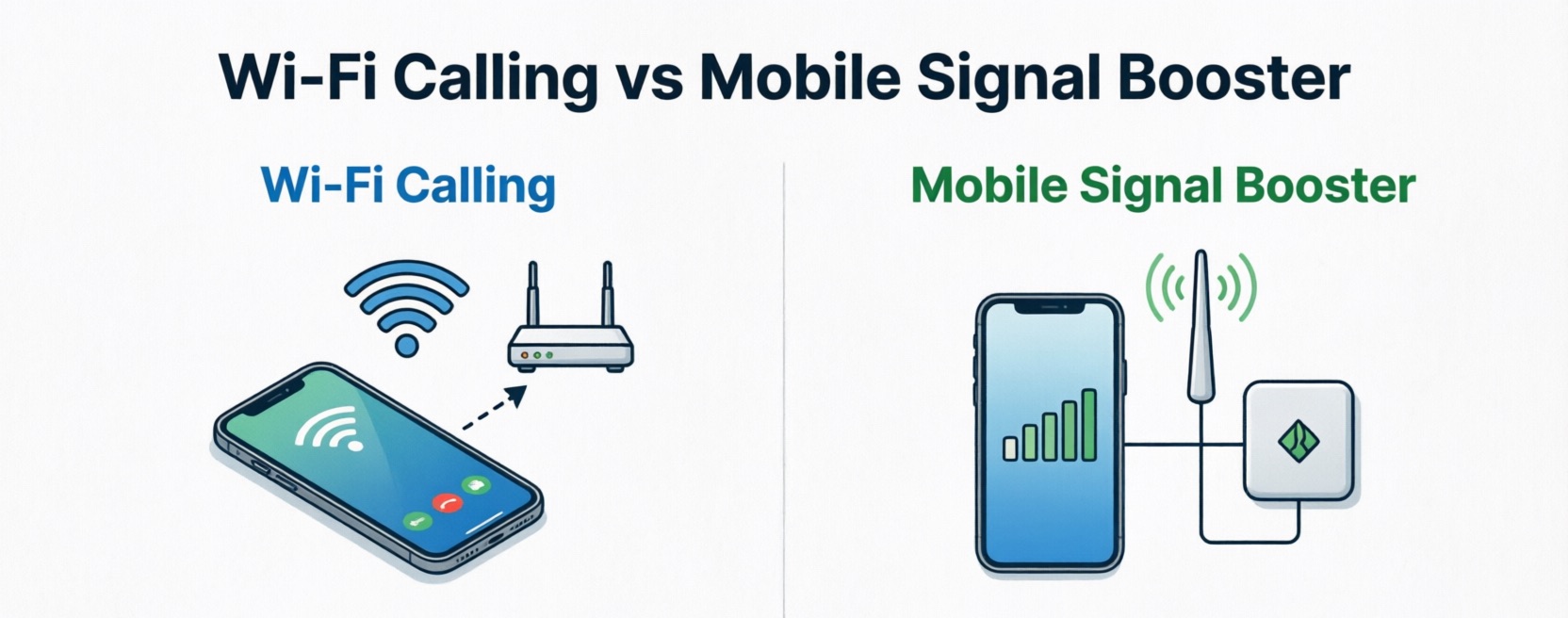
The Complete 2026 Guide — Which Fixes Poor Indoor Signal?
A thorough analysis of all of the data from 17 official Ofcom and Parliament sources was used to put together this document which includes: step by step instructions to solve a signal problem; a cost table for both kinds of technology; wall loss estimates; and a frequently asked questions section.
Quick Answer — Wi-Fi Calling vs Mobile Signal Booster UK
Wi-Fi Calling only takes about three minutes to set and it's available on all four mobile networks in the UK. So there's no reason you shouldn't be able to use it to fix nearly every type of indoor signal problem if your broadband isn't experiencing heavy delays or outages.
A mobile signal booster (repeater) is better when your broadband service is unreliable or doesn't exist; or if you are in an area with thick brick or stone walls; or if you live in a rural or period home.
The two technologies can both be used together to create an even greater indoor signal than if either of them were used alone.
Contents
- 1. Decide in 30 seconds — which solution is right for you?
- 2. Why is mobile signal so poor indoors? Official data
- 3. Signal loss by building material — UK reference table
- 4. Wi-Fi Calling: how it works, all four UK networks, pros & cons
- 5. Mobile signal boosters: brands, costs and installation
- 6. Femtocell — the third option most guides overlook
- 7. Head-to-head: full 11-parameter comparison table
- 8. Full cost comparison
- 9. How to turn on Wi-Fi Calling — step-by-step for every device
- 10. Frequently asked questions
mobile signal booster Nikrans LCD-300GD
+ FREE Lightning Surge Protector
for United States
4.9/5 — 278 Reviews
1. Decide in 30 Seconds
If you can see how your current situation compares to either of the columns, then one of those two columns will answer your question. Lastly, if you are still unsure, then connect with the internet through Wi-Fi Calling first, as this is free.
| Choose Wi-Fi Calling — if: | Choose a Signal Booster — if |
|---|---|
| You want a long time solution and quick | You have no home broadband or Wi-Fi |
| Your broadband is fast and solid | Your broadband is slow and not generally reliable. |
| Flat, new-build or urban home | Rural house, farm, cottage or barn |
| Different networks in household | The whole family is on different networks |
| Signal poor only indoors | No signal at all — inside or outside |
Can I run both solutions at a time?
Yes, it is entirely possible to run both solutions at once. Wi-Fi Calling is a wireless telephone service (uses the internet to transmit calls) and a signal booster is a wireless phone service (uses terrestrial antennas). Therefore, there is absolutely no interference between the two services when they are being used properly at the same time.
2. Why Is Mobile Signal So Poor Indoors?
The failure to provide good quality mobile coverage indoors in the UK is not only a hassle but also a systemic failure acknowledged by the government. The House of Commons Public Accounts Committee (PAC) published their report in early 2024 where they recognised that there was a gap between how coverage has been reported in terms of what consumers have found in the real world, and that the current method of recording coverage is not adequate.
Ofcom have therefore updated their Map Your Mobile coverage checker to include the clear statement «if you're struggling to make calls indoors, consider using Wi-Fi Calling». In fact, Ofcom is now advising that before you go out and buy a device to make use of indoor calls – please check if Wi-Fi Calling is an option.
34%
of UK households currently do not have a landline, and for these households, if there is a failure in mobile coverage then there is also the impact on their ability to call to contact emergency services 999 from within their homes.
Source: Ofcom: Future Approach to Mobile Markets — Discussion Document (PDF)
2.1 Rural vs Urban: Official Figures
According to Ofcom Connected Nations England 2024 (PDF), 4G coverage from one operator inside buildings is 76-85% in rural England compared to 97-99% urban; less than half (56%) of rural households have access to indoor 4G service from all four mobile operators simultaneously - even if switching SIM cards between mobile operators, it is unlikely to result in improved 4G coverage.
In Scotland there have been considerable improvements: Ofcom Connected Nations Scotland 2024 (PDF) report 2024 shows that indoor coverage is now at 89% of all Scottish homes (up from only 57% rural homes a year earlier).
56%
of England's rural residential properties receive indoor 4G service from all four mobile operators on a simultaneous basis. This leaves 44% of rural residential properties without access to a single mobile operator's service. Switching mobile operators to receive service will likely yield limited benefit - a technical exception may need to be resolved.
2.2 Why Coverage Maps Lie
Ofcom Connected Nations UK 2024 (PDF) study reports that the coverage maps are based on an adjusted indoor loss of 10dB; however, indoor losses measured range from +3dB (Plasterboard) to +35dB (Metal roofing), with Ofcom admitting that there is a great deal of uncertainty in determining the strength of the signal at a particular point.
To have good-quality indoor 4G service the signal must be above -105dBm (Ofcom's Threshold). Many households (especially those that have had energy-saving or Low-E type glass installed) have less than this amount of signal even though the coverage maps show that these areas have 'good quality' signal.
2.3 Real Evidence: What Residents Say
A survey conducted by Worcestershire County Council in 2024-2025 had over 1,000 respondents. In the published report the council describes "a wave of frustration and anger" from respondents, with some residents unable to make 999 calls from inside their homes due to no mobile signal.
Coverage commitments — 2024–2025 status
Parliament briefing SN07069 (PDF): EE, O2 and Vodafone were able to fulfil their commitments to provide 88% coverage for geographic areas out to landmass by 30 June 2022. Three failed to complete their obligations in Scotland but did complete by 22 August 2025.
Critical: When we state the target of 88% for geographic area coverage we specify outdoor only; there is no guarantee that there will be coverage for your home from the SRN initiative.
3. Signal Loss by Building Material — UK Reference Table
Determine the type of wall you have to gauge how bad the situation is and if there is a suitable solution.
| Wall / Building Material | Signal Loss | What This Means for You |
|---|---|---|
| Plasterboard / timber-frame stud | 3–5 dB | Minimal — Wi-Fi Calling almost certainly solves this |
| Single brick (standard UK house) | 7–12 dB | Moderate — try Wi-Fi Calling first; booster if needed |
| Double brick / Victorian terrace | 12–18 dB | Significant — needs fast broadband or certified booster |
| Solid stone / country cottage | 14–22 dB | High — signal booster strongly recommended |
| Reinforced concrete / basement | 18–28 dB | Very high level - professional installation of a signal booster is recommended |
| Metal roof / agricultural cladding | 22–35 dB | Critical — It is extremely important that only signal amplifiers work. |
Takeaway: If you have just moved into an apartment or house with drywall and are using Wi-Fi Calling, the issue should be resolved at no cost. If the property has a brick or a natural stone dwelling with energy-efficient windows and doors, you will require a signal booster.
4. Wi-Fi Calling Explained
Wi-Fi Calling is a feature built into all smartphones using Voice over Wi-Fi (VoWiFi). This means you will still call your regular number and your bill will remain the same. The only difference is the signal passes through your router instead of from a cell tower.
4.1 All Four UK Networks — Wi-Fi Calling and 5G Data
| Network | Also covers MVNOs | 5G share (2025) | Wi-Fi Calling | 999 & 112 |
|---|---|---|---|---|
| EE / BT Mobile | BT, EE-network MVNOs | 31.9 % | Yes | Yes |
| O2 (VMO2) | O2, giffgaff, Sky Mobile, Tesco | 24.5 % | Yes | Yes |
| Vodafone | Vodafone, VOXI, Lebara, Asda Mobile | 23.8 % | Yes | Yes |
| Three | Three, iD Mobile, SMARTY | ~26 % | Yes | Yes |
As indicated by data from Ofcom Mobile Matters 2025 (PDF): In 2024, there was an 18% increase in total UK mobile traffic to 1,069 Petabytes/month. The leader in 5G share was EE (31.9%), while the leader in 4G share was Vodafone (75.7%).
All Mobile Virtual Network Operators (MVNOs) use Wi-Fi Calling on their host networks including giffgaff, Sky Mobile, Tesco Mobile, iD Mobile, SMARTY, VOXI, Asda Mobile, Lebara. If you're not sure, please contact your particular MVNO.
4.2 How Popular Is It?
According to the Ofcom Upper 6 GHz Update 2022 (PDF), Wi-Fi Calling usage represented between 2-16% of voice traffic per operator in 2021 which is the last official breakdown of usage – and obviously this percentage has increased considerably since.
69%
of UK homes now have access to full-fibre broadband (FTTP). This corresponds to a growth of 12 percentage points over one year. As a result, the infrastructure necessary for effective Wi-Fi Calling exists for the majority of homes in the UK.
4.3 Pros and Cons
| Benefits | Drawbacks |
|---|---|
| Included free with every major UK carrierEasy to activate on any smartphone within 2–3 minutesCompatible with iOS & Android-based devices (most devices since 2017)Supported by all four network operators and all other providers (MVNOs)Full access to emergency services via 999 or 112Approved by Ofcom and should always be your first callSMS, MMS, and iMessage/RCS work via Wi-FiAutomatic switch from Wi-Fi to cellular mid-call with seamless performanceAccess available on public Wi-Fi networks (coffee shops, restaurants, hotels, trains) | Requires a reliable internet connection; won't work if there is no internet connectionCan't make calls during power failure due to router powered offQuality of the call is based on speed and stability of your internet connectionWill not work outdoors or in cars (only within reach of a Wi-Fi signal)Older phones (pre-2016) may not support VoWiFi hardwareUsing an internet connection slower than 5Mbit/second could lead to poor-quality audioInitially setting up requires address to be registered for 999 service |
5. Mobile Signal Boosters: Brands, Costs and Installation
A mobile signal booster — also called a repeater or an amplifier — is a system of three components. There is an outdoor antenna that picks up a weak signal; a signal amplifier unit; and an indoor antenna that redistributes an amplified (stronger) version of the outdoor signal throughout the inside of the home. A mobile signal booster will only work over a cellular network (no need for a broadband connection). These boosters are commonly used in rural homes that are too far from the cell tower to receive a strong signal, but they receive some faint signals outside.
5.1 Pros and Cons of Signal Boosters
| Benefits | Drawbacks |
|---|---|
| Does not require any broadband access to work. Great for country houses, land and old buildings Fully mobile functionality to make or receive phone calls, send messages and use the internet on your phone. Benefits to everyone in range - no configuring phones or devices. Only pay once - no monthly fees. Nikrans LCD-300GDW supports both 4G and 5G. Up to 100 dB of gain - so if you are only getting 1 bar from your network you'll end up getting 5 bars!Can be switched/activated using a free downloaded app from your mobile device and does not require any new hardware. | Cost of the certified boosters range from £149 - £1,500+If you have no outside signal at all, you will not get any results. Requires mains power to function.The entry models can only cover 1 or 2 rooms.
The less expensive units will only amplify the signal from 1 operator at a time. |
6. Femtocell — the Third Option Most Guides Overlook
The femtocell, also known as a microcell or a small cell, provides you with an indoor base station that connects to your broadband to provide signals from your broadband connection; unlike boosters that amplify signals from an outside source, your femtocell creates new signals from your broadband. Essentially your femtocell becomes your own mobile tower installed in your home.
According to Ofcom's indoor coverage guide, at least some wireless companies now offer femtocells to their customers who have ongoing issues receiving service inside their houses. Two established examples include the O2 Boostbox and Vodafone Sure Signal; you need to check with your provider directly for details, as availability has changed.
When to use a femtocell instead of a booster:
Best use case: when you have good broadband but receive very little (or no) mobile network signal; since a booster will not create additional signal out of nothing (the booster's purpose is to boost an existing signal), the femtocell will provide signal due to your internet service provider
Often provided as part of your regular service (although, in some cases you may have to pay a small fee)
No external antennas to connect (femtocell simply connects to your router)
Limitations: one carrier only, does not work if your broadband is out, however, typically have a radius of 15m or less
Check with your provider — you may be eligible for a femtocell, and many providers do not widely share such programs with their customers.
7. Head-to-Head: Full Comparison Table
| Parameter | Wi-Fi Calling | Signal Booster / Repeater |
|---|---|---|
| Cost | Free | £149–£1,500+ one-off hardware |
| Setup | 2–3 min in phone Settings | External antenna installation |
| Needs broadband? | Yes — home Wi-Fi required | No — works off cellular signal |
| Networks covered | All 4 MNOs + all MVNOs | Supports all operators |
| Power cut? | Fails — router loses power | Works (if on separate power) |
| Call quality | Depends on broadband speed | Full native mobile signal quality |
| 5G support | Yes — with 5G tariff | Yes (depending on model) |
| Emergency 999/112 | Fully supported | Fully supported |
| Best suited to | Flats, new-builds, urban homes | Rural/period/thick-walled homes |
8. Full Cost Comparison
| Solution | Device cost | Monthly fee | Installation |
|---|---|---|---|
| Wi-Fi Calling | Free | £0 per month | Your smartphone |
| Nikrans LCD-300GDW (example) | ~£475 | £0 per month | DIY plug-in |
| Femtocell (from operator) | £0–100 or free | Varies by plan | Plug into router |
9. How to Turn On Wi-Fi Calling — Step-by-Step
iPhone (iOS 9 and newer)
- Launch the Settings App ⟶ Select Cellular (or Mobile Data)
- Click on Cellular Data Options ⟶ Select Wi-Fi Calling
- Switch Wi-Fi Calling ON under "Enable Wi-Fi Calling on this Device"
- Enter your home address when prompted; this will allow support staff to identify where to send emergency services to you using the 911/112 call routing - only do this once to register location data.
Samsung Galaxy Device
- Go to the Settings App ⟶ Select Connections ⟶ Select Mobile Networks ⟶ Select Wi-Fi Calling
- Alternatively, Launch Phone Application ⟶ Tap the Menu button (3 dots or squares) at the top right of the screen ⟶ Select Settings ⟶ Select Wi-Fi Calling
Google Pixel and Other Android Devices
- Go to Settings App ⟶ Select Network & Internet ⟶ Select Mobile Network ⟶ Select Advanced
- Enable 'Wi-Fi Calling' or 'Calls through Wi-Fi' by tapping on the button
Huawei / Honor Device
- Go to Settings App ⟶ Select Mobile Network ⟶ Select Wi-Fi Calling ⟶ Click on the Switch to Enable Wi-Fi Calling
Don’t see Wi-Fi Calling in Settings?
- Confirm that your mobile plan supports Wi-Fi Calling — all mainstream EE, O2, Vodafone, and Three plan types currently include Wi-Fi Calling. Some legacy plans will require you to call Customer Service for their activation.
- Some devices may also require that the carrier activate this feature before using it, so you should call your carrier to make this request.
- Cellular devices manufactured prior to 2015-16 typically do not have this capability via hardware and, therefore, cannot be added via a software update.
- You will need to ensure that your device is NOT in ‘2G’ or ‘GSM’ only mode, as Wi-Fi Calling requires that your phone have 4G and LTE capabilities.
- If you are an iPhone user: Go into Settings ⟶ General ⟶ About; if you see an update that says Carrier Settings, accept this update
10. Frequently Asked Questions
What happens when you have no mobile signal and want to use Wi-Fi Calling?
The purpose of Wi-Fi Calling is that it will work even when wireless signals (cellular) cannot be reached. With good Wi-Fi service, it should not matter if your phone has a mobile signal at all.
Can I use Wi-Fi Calling to call 999 or 112?
Yes. All four major UK Mobile Network Operators (EE, O2, Vodafone and 3 UK) support the ability to use Wi-Fi Calling to contact emergency service providers at their normal service numbers (999 or 112). When you register your home address as part of the initial setup of your Wi-Fi calling capability, the respective operator has a reference point for where you are located when making calls with your mobile phone using Wi-Fi.
Will using Wi-Fi Calling affect my connection speed on my broadband wireless service?
No, with Wi-Fi Calling you should experience no noticeable reduction in connection speed when using your broadband to make calls. A Wi-Fi calling connection uses between 1-3 megabytes of data (depending on the quality of the data transferred as opposed to the amount), which is comparable to other types of audio/video streaming.
Will a mobile signal booster adversely impact the Wi-Fi or internet connection?
No. The mobile signal booster works exclusively within the licensed mobile cellular frequency range (700 MHz – 2,600 MHz) and there is no interaction with the 2.4 or 5 GHz Wi-Fi system. They are not related in any way and operate separately — therefore both can be used at the same time without interference.
Why does my phone show 4G, yet my calls are being terminated?
A 4G symbol means you have an active data connection to the internet and not that you can make phone calls. Making voice calls using 4G requires VoLTE (Voice over LTE). If VoLTE does not work on your phone, then it will revert to 3G, which is being phased out by UK Mobile Network Operators. If you use Wi-Fi Calling, you bypass this completely, as that will allow you to make phone calls via the internet without using VoLTE. Enabling Wi-Fi Calling is the easiest and fastest solution to the issue of calls terminating on 4G mobile devices.
What is the best solution for weak mobile signal in a rural UK residence?
If you have access to broadband (to include Starlink), the best solution would be to start with free Wi-Fi calling. If you have a weak mobile signal but do not have reliable broadband, the best strategy would be to use a signal booster. If you have no mobile signal and no broadband, the best option would be to get Starlink satellite broadband and use Wi-Fi calling. You can find out the signal strength at your home using Ofcom Map Your Mobile and their customer service tools.
Can I use Wi-Fi Calling and a signal booster at the same time?
Yes, many households in the UK use both Wi-Fi Calling and signal boosters at once. They are completely separate systems. Wi-Fi Calling lets you call over broadband, and signal boosters amplify the cellular signal. Running both together therefore gives you the best possible resilience. There are no issues between the two systems.